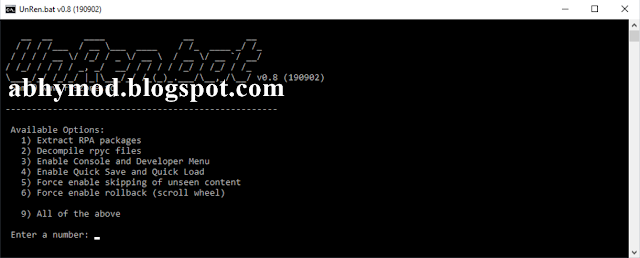
You can extract RPA archives, decompile RPYC files, and enable the console and developer menu for Ren’Py games.
Works on Windows 7, 8 and 10.
Instructions:
1. Copy UnRen-<version number>.bat to either the game’s root directory (i.e., where the game’s .exe is located) or its “game/” subdirectory
2. Double click on UnRen.bat to execute
3. Select the option you require
– Having non-ASCII characters in your folder path may cause issues
1. Copy UnRen-<version number>.bat to either the game’s root directory (i.e., where the game’s .exe is located) or its “game/” subdirectory
2. Double click on UnRen.bat to execute
3. Select the option you require
Both RPA and RPYC files will be extracted/decompiled to the same path as the original files.
Known Issues:
– Having non-ASCII characters in your folder path may cause issues